Built for remodelers
Remodeling is messy in ways software usually doesn't handle. You walk into someone's kitchen, take 40 photos of existing conditions, scope the demo, price out cabinets you haven't picked yet, write a contract that has to allow for what the demo will surface, and live with two or three change orders before the job's done. The customer wants to see progress weekly. Your subs want to know when they're up. Your bookkeeper wants the invoice numbers to line up with the bank deposits. Generic field-service software is built for short ticket work and doesn't handle any of this well, while enterprise PM software is overweight for a remodeler doing 1 to 5 jobs at a time.
Workhand sits in the middle. Estimate-to-invoice is one continuous flow on the same job, so you don't rebuild line items in two places. Customer selections live in a structured sheet with photo references and signoff dates, so the 'I never picked that paint color' argument never happens. Photos are annotated with arrows and labels for the existing- conditions file and again later for change orders. The whole crew, including your subs, is on one job thread. Change orders are signed line items, not text messages. Built for the working remodeler.
Workflows we cover
The day-to-day motions of a remodel, in the order they happen.
Existing-conditions photo log
Walk the space, snap photos, annotate them with arrows (Crack here, Outlet to move, Existing tile to demo). Saved against the job for the file. Comes back when scope questions show up three weeks in.
Estimate with line items + e-signature
Build the estimate from your template (demo, framing, drywall, paint, trim, cabinets, counters, flooring, hardware). Send by email, customer signs from their couch. Job created automatically with the estimate as the original contract.
Customer selections sheet (paint, finishes)
Paint, flooring, tile, cabinetry, hardware, countertops, lighting, fixtures, appliances. Each selection holds a photo reference, vendor, SKU, and customer signoff date. No more 'I picked the warmer white' arguments.
Milestone invoicing
Deposit, demo complete, drywall, trim, final. Mark each one done on your phone and Workhand generates the invoice. Customer pays online through Stripe Connect, money lands in your bank in two business days.
Photo annotations for change orders
Open a photo, draw arrows, add a note. Build a CO with the annotated photo attached as the visual proof. Send for e-signature. CO becomes its own line on the job total. Audit trail is built in.
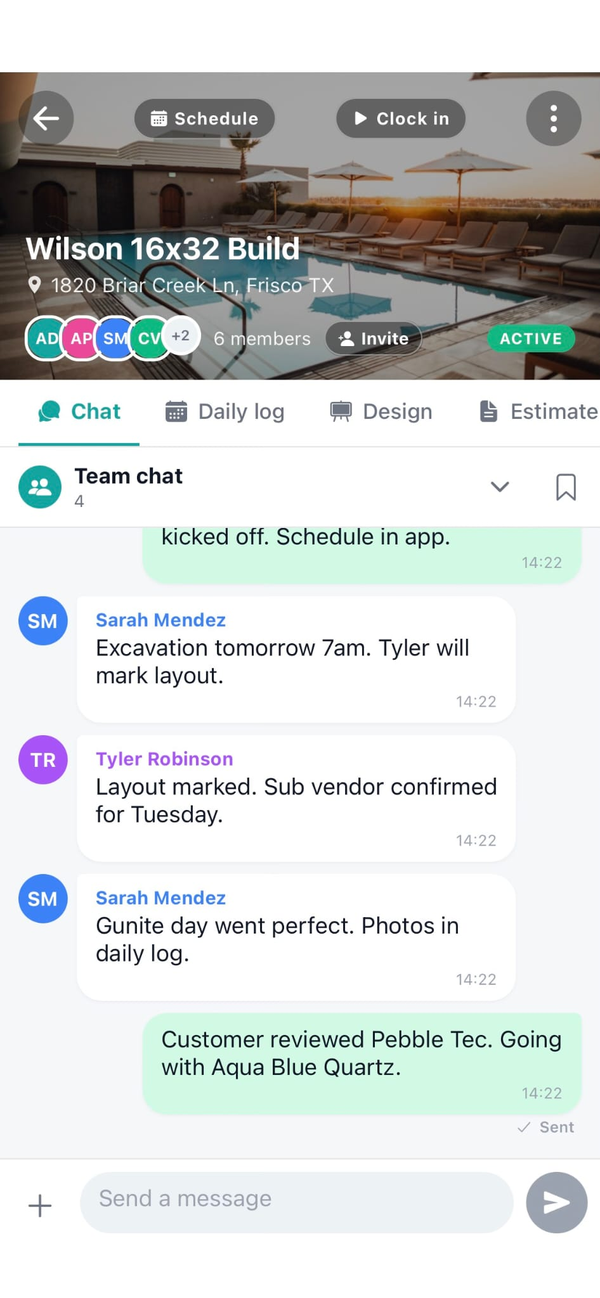
Per-job crew chat with subs
One thread per job. You see everything, employees see their assigned jobs, subs see only their scope. Plumber doesn't read the cabinet selection thread. Trim carpenter doesn't get pulled into electrical questions.
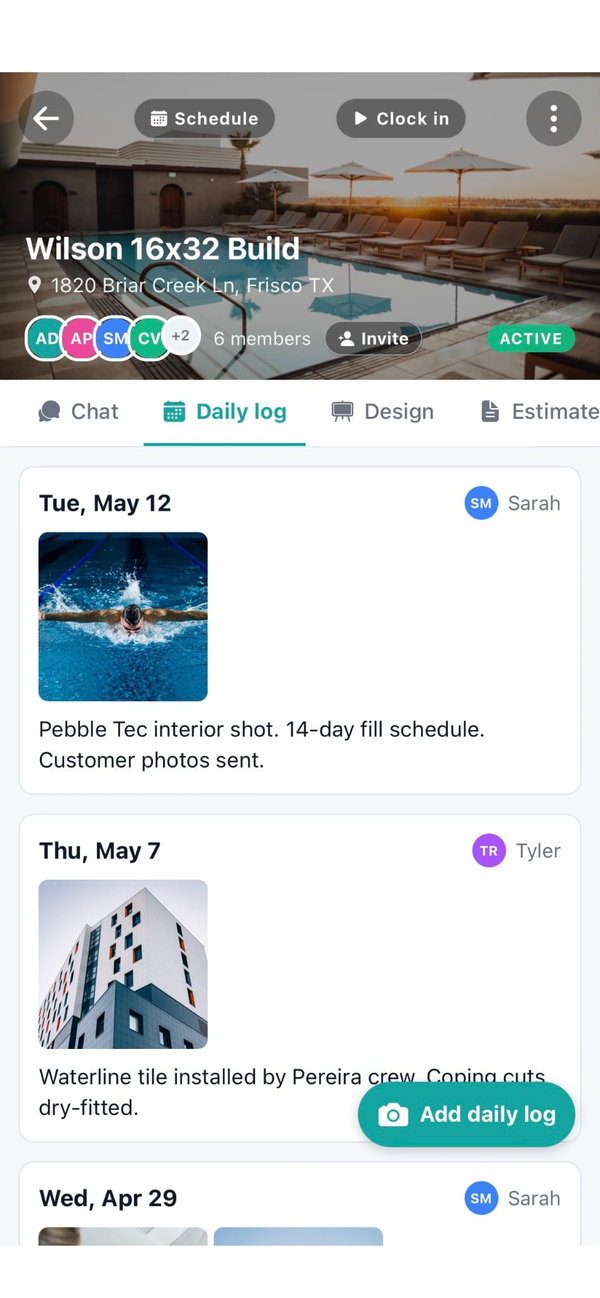
Daily logs with photos for customer portal
Every visit, snap progress photos, drop a note. Customer's portal page shows a timeline they can scroll any time. Cuts down on 'how's it going this week' calls.
Job costing + real margin per remodel
Material receipts, sub invoices, and crew hours roll into the per-job cost number. Margin against contract value is live. See in real time whether the kitchen is going to clear $18K or $4K, not in February of next year.
What Workhand has that helps remodelers
- Photo annotations. Arrows, pins, and labels on any photo. Saves with the original for the job file.
- Customer selections sheet. Paint, finishes, cabinetry, fixtures, appliances. Photo references and signoff dates.
- Change orders as signed line items. Build, send, sign, attached to the job total. No more text-message COs.
- Milestone invoicing. Deposit, demo, drywall, trim, final. One tap per milestone, invoice generated.
- Per-job crew + sub chat. Role-scoped, so subs only see their scope. Pinned messages, photo attachments, read receipts.
- Subcontractor insurance tracking. Plumbers, electricians, tile setters, painters. Cert expiration alerts before they lapse.
- Customer-facing job portal. Homeowner sees hero photo, weekly progress, balance due, signed COs. One link, no login.
- QuickBooks Online sync. Customers, invoices, payments push to QBO. Bookkeeper opens Monday morning, the week is there.
- AI Suggest line items. Type the remodel scope in plain English ("full primary bath, gut to studs, walk-in shower, freestanding tub, double vanity, heated floor") and AI builds the line items from your catalog. Edit before sending.
- Documents in English, Spanish, or Portuguese. Send estimates and invoices in the customer's language. Remodel crews often have Spanish-speaking subs; documents reach them in the language they read.
- Customizable job tabs per project. A kitchen remodel shows Selections, Materials, Punch List, and Photos. A simple paint job shows just Chat, Daily Log, and Time. Pick what the field crew sees per job.
See the full feature list and the FAQ for specifics on roles and selections.
What we are not
Workhand is not Buildertrend. If your business has formal AIA-style draw schedules with banks, a selection library with hundreds of imported catalogs from your suppliers, a full email marketing automation suite, and a dedicated office manager who lives in the software every day, Buildertrend is built for that. It's $399 to $599 a month and worth it at that operating shape.
We are also not CoConstruct or Houzz Pro. Those go deeper on design library imports, rich client portals with mood boards, and tighter integration with kitchen design 3D tools. If you do high-end design-build with monthly catalog updates from your suppliers, you'll want one of those.
Workhand is for the working remodeler doing 1 to 5 jobs at a time. Owner is also the PM. Crew is on phones. Subs come and go per scope. Jobs are $25K to $200K with milestone draws, not AIA G702s. If that's you, Workhand fits in your truck instead of needing a desk.
Pricing for remodelers
Three plans. No per-user fees. No per-estimate fees. Most working remodeler crews land on Pro or Team depending on crew size and office staffing.
Free
Pro
Team
Most working remodeler crews choose Pro or Team. Solo remodelers doing 1 to 2 active jobs can run on Pro for a long time. Add an office manager or bookkeeper and you'll want Team for the QBO sync and job costing. See the FAQ for trial and refund details, or the Buildertrend comparison for cross-shopping.
Questions remodelers ask
Is Workhand a Buildertrend replacement?
Partly. We cover the everyday remodeler workflow (estimates, change orders, milestone invoicing, daily logs, photo annotations, crew chat, selections) at a fraction of the price. Buildertrend goes deeper on formal AIA draw schedules, selection libraries with hundreds of catalog imports, and integrated email marketing. If you do 1 to 5 active remodels at a time and don't need AIA draws, Workhand fits. If you do 15 active projects with a full-time office manager living in the software, Buildertrend is worth the price tag.
Can I annotate photos with arrows and notes?
Yes. Tap any photo in the job, draw arrows, drop pins, and add labels (Paint color here, Outlet move here, Existing drywall damage here). The annotated version saves with the original. Useful for existing-conditions photos before demo and for change order conversations later.
How does the customer selections workflow work?
Each job has a selections sheet. You add categories (paint, flooring, tile, cabinetry, hardware, countertops, lighting, fixtures, appliances) and the customer signs off on each one with a photo reference, vendor, SKU, and signoff date. Eliminates the 'I never picked that color' argument three months in. See the selections deep dive for how it works in practice.
How are change orders handled?
Each change order is its own line on the job with its own e-signature and total. The original contract stays intact and the job total grows transparently as COs are added. When you invoice, change orders appear as separate line items so the customer sees exactly what they signed for.
Can I send a milestone invoice (deposit, rough-in, completion)?
Yes. Set up milestone-based invoicing on the job (deposit, demo complete, drywall, trim, final). Mark a milestone complete on your phone and Workhand generates the invoice for that draw. Customer pays online through Stripe Connect, money lands in your bank in two business days. See the Stripe Connect writeup for setup details.
More reading: the three-way comparison with JobNimbus and Buildertrend, QuickBooks alternative writeup, or just the homepage if you want the full feature surface.