What is a construction daily log and what should it contain?
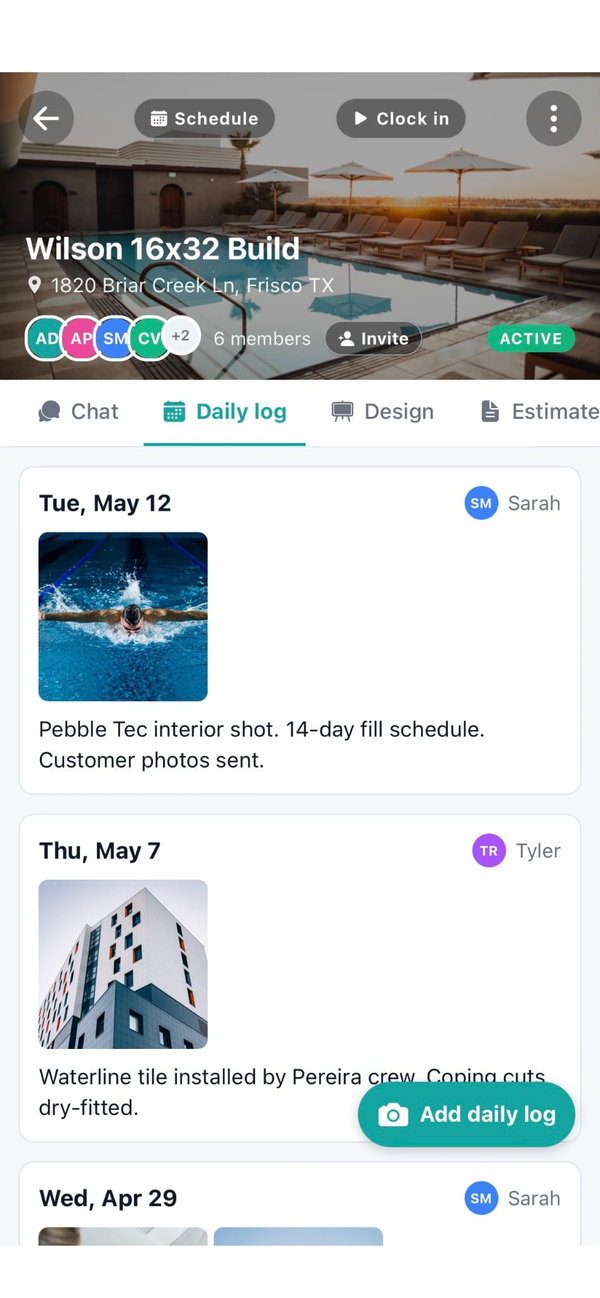
A construction daily log is a dated field record of what happened on a job that day. In Workhand each entry has a log date, a note, and one or more attached photos, plus the author name and timestamp captured automatically. Typical contents include weather, crew size, hours on site, materials received, inspection results, blockers, and any conversation with the homeowner. Six months later when a dispute comes up, that dated log with photos ends the argument.
Do Workhand daily logs work offline at the job site?
Yes. Daily logs are part of the offline-first mobile flow. Type the note, attach the photos, save. The entry queues on the phone and syncs to the cloud the moment signal comes back. Slabs poured in a rural cul-de-sac with two bars of LTE still get logged the same as work in a downtown high-rise. No lost entries, no white screen, no retype.
Can I attach photos to a daily log?
Yes. Every daily log entry supports photo attachments. Capture from the camera in the moment or pull from your library. Photos are stored in Workhand's Supabase storage layer, private to your company. You can draw on them with arrows, circles, freehand marks, or text notes before saving. That turns a plain photo into an as-built annotation the sub cannot argue with.
Can my subcontractor see daily logs on the job?
Subs see only their own contributions to the log. The full chronological log with the entries from your crew, your PM, and the office is scoped to Employee, PM, Owner, and Admin roles. This lets the sub document their own scope without exposing conversations, cost notes, or customer complaints that are not their business.
How is Workhand's daily log different from doing it in a notebook or WhatsApp?
The notebook lives in one truck and gets soaked in July. WhatsApp threads scroll and get lost. Workhand ties the log to the job, timestamps the author, keeps photos private to your company, and stays searchable months later. When the insurance adjuster asks for the log for a specific date at a specific job, you find it in three taps.
Do daily logs help with insurance disputes or warranty callbacks?
That is one of the main reasons contractors keep them. A dated log with photos and a named author beats a verbal claim in a warranty dispute or an insurance argument six months later. Workhand logs are timestamped, author-attributed, and photo-attached, so when a homeowner says the crack was there on day one and you have a June photo showing no crack, the log carries the day.
Who on my team can write daily logs?
Owners, Admins, Employees (including PMs), and Subs can create entries. Subs see and edit only what they wrote. Owners and Admins see everything, so office review is one screen. Employees and PMs see the full log for the jobs they are assigned to. Every entry saves with the author name attached, so nobody has to guess who noted what.
Is the daily log feature included on the free plan?
Daily logs are included on Pro at 34.99 per month and Team at 89.99 per month. The Free plan gets one job and one teammate for testing the workflow. Once you are running multiple jobs, Pro unlocks unlimited jobs and Team unlocks unlimited seats and the Sales role. No per-log fee, no monthly cap, no photo storage limits within reasonable use.