Feature · Productivity

Job Templates: Stop Rebuilding the Same Job 50 Times a Year

Save any job's structure as a template. Apply it to the next customer in one tap. Tabs, line items, default pricing and costs, default schedule all carry over. Build a job in 60 seconds that used to take 30 minutes. Built for contractors who run the same kitchen remodel or the same inground pool over and over and want to stop reinventing the wheel.

Get Workhand free See pricing
Quick answer: Save any Workhand job as a template (tabs, line items, default pricing + costs, default schedule). Apply the template when creating a new job and the structure is pre-filled. Customer-specific details stay blank. Multiple templates per company. Editing a template only affects future jobs, not in-progress ones. Templates respect role permissions. Included on Pro and Team plans. iOS and Android.

The problem this solves

Most contractors run the same job type over and over. A pool builder builds 30 inground pools a year. A kitchen remodeler does 20 kitchens. A roofer does 200 re-roofs. A pool service company onboards 50 new accounts a year. The work is repeatable. The structure of every job is roughly the same. The line items are roughly the same. The schedule shape is roughly the same.

But most software treats every job like a blank page. You start a new job, add tabs, add line items, add prices, add costs, set up the schedule. Thirty minutes of setup before you've done any work. Multiply by every job: 30 inground pools × 30 minutes = 15 hours a year setting up jobs from scratch when 90% of the structure was identical to the last one.

Worse, when you set up from scratch each time, you forget things. The line item for "concrete kicker beam" was on the last job but you forgot it on this one, and now you're eating the labor. The "permit close-out" tab was on three of the last four jobs but you skipped it on this one and now the customer is asking why the final inspection hasn't been signed off. Memory is a bad project manager.

How Workhand handles it

Two-step workflow.

Save: Open any existing job. Tap the menu. Save as Template. Name it (Inground Pool Build, Kitchen Remodel Standard, Replaster Job, Weekly Pool Service Onboarding, whatever). The template gets stored in your template library.

Apply: Next time you create a job, the Job Setup screen has a Start from Template option. Pick the template. The new job is created with all the tabs and line items pre-filled. Customer info and actual dates are blank for you to fill in. You can edit anything afterward. The whole flow takes 60 seconds.

Most contractors build their first template from their second or third real job in the system, after they've figured out what structure actually works for their workflow. Then they iterate on the template over the next year, adding the line item they forgot, refining the default pricing, tightening the tabs. By job 20 the template is dialed in and creating a new job is a 60-second operation.

What templates saveWhat templates do not save
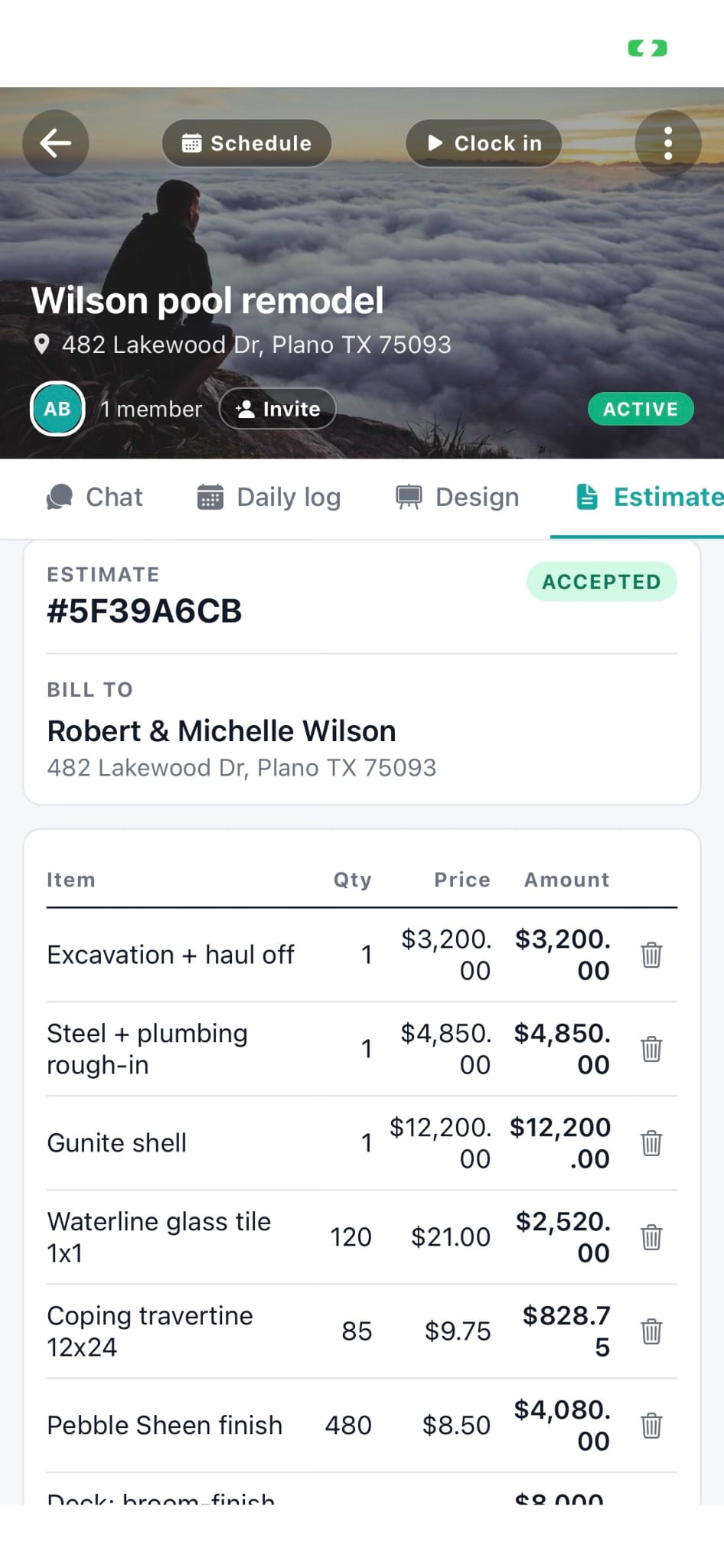
Tab structure (excavation, plumbing, electrical, finish, etc.)Customer name, address, contact info
Line items inside each tabActual job dates
Default pricing per line itemActual crew assignments (default only)
Default internal cost per line itemJob-specific photos, attachments, notes
Default schedule structure (durations, order)Actual chat messages
Default crew role assignmentsFinal invoices, signed estimates

The math on time saved

Suppose a job setup takes 30 minutes from scratch. With a template, 60 seconds. You save 29 minutes per job. If you start 50 jobs a year:

That's three working days back. At a contractor's effective hourly rate of $80-$150, that's $2,000-$3,600 of labor time recovered annually. The Pro subscription is $420/year. The math is not subtle.

Beyond raw time saved, the consistency benefit is bigger. Every job has the same tabs in the same order. Every estimate has the same line items. Every job uses the same internal costs for profit calculation. The owner can look at any job and instantly understand the structure because it's the same structure as every other job. New employees onboard faster because every job looks the same. Customers see consistent estimates instead of bespoke ones with random formatting.

Common template setups by contractor type

Pool builders

Inground Pool Build (full new construction), Pool Replaster, Pool Equipment Replacement, Pool Service Onboarding, Pool Heater Install, Salt Cell Conversion.

Remodelers

Kitchen Remodel Standard, Kitchen Remodel High-End, Bath Remodel Standard, Master Bath, Whole-Home Refresh, ADU Build, Garage Conversion.

Service companies (HVAC, plumbing, electrical)

Standard Service Call, AC Install, Furnace Replacement, Water Heater Replacement, Panel Upgrade, Maintenance Visit.

Roofers

Re-Roof Asphalt Shingle, Re-Roof Metal, Re-Roof Tile, Roof Repair Call, Gutter Install.

Pool service routes

Weekly Service Onboarding, Bi-Weekly Service, Chemical-Only Service, Vacation Service, Pool Opening, Pool Closing.

Who this is built for

Try Workhand free

Job templates included on Pro at 34.99 per month and Team at 89.99 per month. Free plan supports one active job. 14-day free trial on paid plans.

Get the app See pricing

Common questions

What does a job template save in Workhand?

A template saves the job's structure: the tabs you organized work into (excavation, plumbing, electrical, finish, punch list, etc.), the line items inside each tab with their default pricing and costs, the default schedule structure, and any default crew assignments. It does not save customer-specific things like the customer name, address, or actual dates. The point of a template is the repeatable structure of the work, not the one-off details of any specific job.

How do I create a job template?

Open any existing job that has a structure you want to reuse. Tap the menu, choose Save as Template, give it a name like Inground Pool Build or Kitchen Remodel Standard. The template now appears in your template library and is available when you create a new job. Most contractors build templates from their second or third real job (after they know what tabs and line items actually make sense for the workflow) and then refine them over the next year.

How do I apply a template to a new job?

When you create a new job, the Job Setup screen has a Start from Template option. Pick the template, the new job is created with all the tabs and line items pre-filled. Customer info and dates are blank for you to fill in. You can edit anything after applying. Templates are a starting point, not a lock-in. Most contractors say it takes 60 seconds to spin up a new job that used to take 30 minutes.

Can I have multiple templates?

Yes. There is no limit. Most contractors end up with 4-10 templates: one for each job type they sell regularly. A pool builder might have Inground Pool Build, Pool Replaster, Pool Equipment Replacement, Weekly Service Setup. A remodeler might have Kitchen Remodel Standard, Kitchen Remodel High-End, Bath Remodel, Whole-Home Refresh. The template library lets you rename, duplicate, and delete templates.

If I edit a template, does it change my existing jobs?

No. Templates are stamps, not living references. When you create a job from a template, the job gets a copy of the template's structure at that moment. Editing the template afterward changes future jobs created from it, but does not retroactively change jobs already in progress. This is intentional. You do not want a customer-facing job to silently change after a template tweak.

Do templates include pricing and costs?

Yes. Each line item in a template carries the default price and the default internal cost. So when you apply the template to a new job, the estimate already has rough numbers in it. Most contractors adjust prices per job (size differences, material spec, customer haggling) but the template numbers get you 80% of the way there. The internal costs flow into per-job profit calculations automatically.

Who can see and edit templates?

Templates respect role permissions. Owner and Admin see and edit all templates. Employees and subs do not see the template library at all, even if they can apply a template (in some role configurations). This protects the company's job-structure IP from leaking when a tech leaves or a sub poaches. The template library is owner-facing.

Does this cost extra?

Job templates are included on Pro at 34.99 per month and Team at 89.99 per month. Free plan supports one active job but not templates. The math: if templates save 25 minutes per new job setup and you start 50 jobs a year, that is 20 hours a year saved. Most contractors charge themselves out at 80 to 150 an hour, which makes the Pro subscription pay for itself many times over from templates alone, before counting anything else the app does.