Feature · Sales & Pipeline

CRM for Contractors: Lead Pipeline That Lives Inside the App

Stop losing leads in your text inbox. Five-stage pipeline tuned for the contractor sales cycle. Notes, source, value per lead. One-tap convert to customer when they say yes. Auto-capture from the public profile contact form. Built for crews of 1 to 15 who do not need a Salesforce instance.

Get Workhand free See pricing
Quick answer: Workhand's lead pipeline has five stages (new, contacted, qualified, estimate sent, won or lost) with notes, source, and estimated value per lead. Auto-captures inquiries from the public profile contact form. Auto-response email to new leads. One-tap convert-to-customer pulls all the lead history into the new customer record. Open leads KPI and pipeline value on the dashboard. Sales role gates access for someone who only works the funnel. Pro and Team plans. iOS and Android.

The problem this solves

Tuesday morning. A homeowner texts you about a pool resurface. You reply between meetings, "sounds good, let me know what week works." She does not reply that day. By Friday her message has scrolled past 11 other texts. By next Tuesday you forgot the conversation existed.

Two weeks later she signs with the contractor down the road who called her back the same day. You lost a $14,000 job to a follow-up gap.

This happens to every contractor. The texts work for the conversation, they fail at the follow-up. The spreadsheet "lead tracker" works for the data, it fails because nobody opens it. The full CRM works for the discipline, it fails because it costs $75 per seat per month and feels like overkill for a one-truck business.

How Workhand handles it

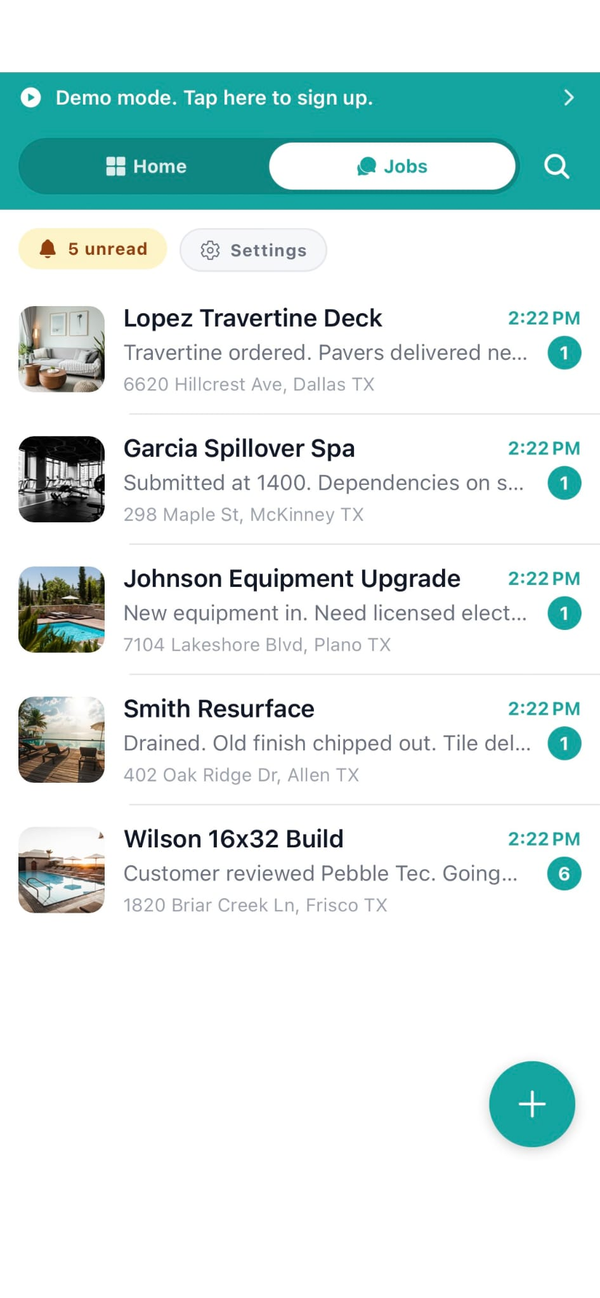
Every new lead lands as a row in the pipeline. The pipeline has five stages built for the contractor sales cycle: new, contacted, qualified, estimate sent, won or lost. Each lead carries the name, phone, email, source, estimated value, and notes.

Leads come from two main places. The public profile contact form at workhand.app/c/your-name captures inbound inquiries with the source tagged automatically. Manual entry on a phone call or a referral takes about 20 seconds. Either way the lead is in the system the moment it exists, not three days later when you remember to write it down.

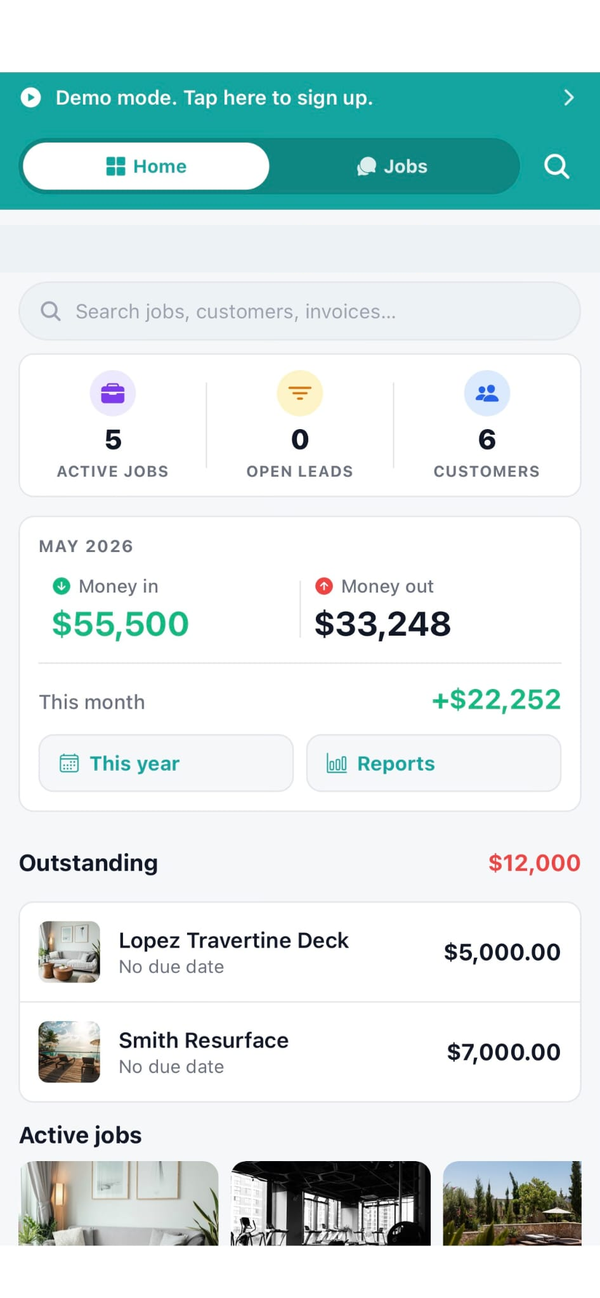
The open-leads KPI lives on the dashboard, big and visible, with a count of how many leads are sitting in stages before estimate-sent. That number sits in your face every time you open the app, which is what keeps a lead from going stale for two weeks.

When a lead says yes, you tap Convert to Customer. Their name, phone, email, and lead history flow into the customer record. From there it is one tap to create the first job and one more to build the estimate. Total time from "they signed" to "first invoice sent" is about 90 seconds.

What you getHow it works
5-stage pipelineNew, contacted, qualified, estimate sent, won or lost. Drag between stages or tap to advance.
Per-lead notes & activityFree-text notes plus an activity log of stage moves and timestamps. Six months later you remember every conversation.
Source taggingEach lead has a source field. Public profile auto-tags. Manual tags for Facebook, ads, referral, repeat customer. Drives win-rate-by-source analysis.
Auto-capture from public profileInbound form fills land in the pipeline with full contact info and source tagged. No data entry.
Auto-response emailConfigurable template sends to new leads within seconds of inbound. Buys you time to call back on your schedule.
Open leads KPIDashboard widget showing the count of in-funnel leads. Stays in your face so leads do not go cold.
Pipeline value roll-upSum of estimated value across in-funnel leads. Forecasted revenue at a glance.
One-tap convert to customerLead history flows into the new customer record. Job creation is one tap from there.
Win rate by sourceReports show win percentage and pipeline value per source so you double down on what works.
Sales roleScoped access for someone who runs leads and estimates but should not see costs, time, or financials.

Why a contractor CRM is different from Salesforce

The big CRMs are built for B2B sales teams running 90-day enterprise deals with five decision-makers. The contractor sales cycle is different. It is short (often a single phone call to estimate-sent), it is single-threaded (one homeowner or one PM), and the differentiator is response speed, not nurture sequences.

  1. Speed beats process. The contractor who calls back in two hours wins more leads than the one with a 14-step automated drip. Workhand is built around fast response: the open-leads KPI, the auto-response email, the dashboard surface.
  2. The pipeline lives where the work lives. When the lead becomes a customer becomes a job becomes an invoice all in the same app, nothing falls through cracks at the handoff. In a Salesforce + QuickBooks setup, the data has to leave one system and enter another, and that is where contractors lose track.
  3. The phone is the salesroom. Most contractor sales happen in the truck on the way home from a jobsite. The CRM has to work one-handed on a phone screen, not from a sales rep's laptop in an office. Workhand was built phone-first specifically because Andrew (the founder) was logging leads from his own truck.

Who this is built for

Try Workhand free

Lead pipeline is on Pro at 34.99 per month and Team at 89.99 per month. Free plan covers running one active job if you want to try the rest of the app first. 14-day free trial on paid plans.

Get the app See pricing

Common questions

Is Workhand a real CRM for contractors?

Yes, with a deliberate scope. Workhand has a sales pipeline tuned for the contractor sales cycle (new, contacted, qualified, estimate sent, won or lost), notes per lead, source tracking, win rate by source, and one-tap convert-to-customer when a lead says yes. It does not have the 200-feature SaaS-style automation of Salesforce or HubSpot. For most contractors under 15 employees, that is the right amount of CRM.

How is this different from a spreadsheet?

Three differences that matter. First, the pipeline lives in the same app as the estimates, invoices, and jobs, so the moment a lead converts to a customer the data flows automatically with no copy paste. Second, leads coming in from your public profile contact form land in the pipeline automatically with the source tagged, instead of you adding rows by hand. Third, the open-leads KPI lives on the dashboard so leads do not sit forgotten for two weeks the way they do in a spreadsheet that nobody opens.

Where do new leads come from?

Two main sources, plus manual entry. First, the public profile page at workhand.app/c/your-name has a contact form. Anyone who fills it out lands directly in your pipeline with the source tagged as your public profile. Second, manual entry on a call or referral takes about 20 seconds: name, phone, optional notes, estimated value. Any other inbound channel (Facebook, ads, referral) gets manual entry plus a custom source tag so you can track win rate by source over time.

Does Workhand auto-respond to new leads?

Yes. There is a lead auto-response template you configure once. When a new lead lands from the public profile form, Workhand emails them an auto-response within seconds. Most leads expect a same-hour response from a contractor they reach out to online, and an auto-response under 60 seconds buys you the time to follow up with a real call on your schedule instead of theirs.

How does convert-to-customer work?

When a lead moves to Won, a one-tap action converts the lead to a customer record. Their name, phone, email, and notes copy over. The lead source stays attached for win-rate analysis. You can then create the first job from the new customer with the same one-tap flow. Total time from lead to first invoice is about 90 seconds.

Can my sales rep use this on a phone?

Yes. The Sales role exists specifically for someone whose job is leads and estimates but not field operations. Sales role sees the pipeline, can create and edit leads, can build and send estimates, and cannot see costs, time, mileage, or financial reports. That keeps your salesperson focused on the funnel without exposing internal margins. Sales is on Pro and Team plans.

What is the pipeline value number on the dashboard?

Pipeline value is the sum of estimated value across all leads that have not yet been marked won or lost. It is forecasted revenue. The number shows on the dashboard alongside the open leads KPI so you see the size of the funnel and how many you need to work this week. Won leads roll out of pipeline value once they convert because the actual revenue lives in the invoices section.

Does the lead pipeline cost extra on Workhand?

The lead pipeline is available on Pro at 34.99 per month and Team at 89.99 per month. Free plan focuses on running a single active job and does not include the pipeline. Once you start chasing more than one customer at a time, Pro pays for itself the first time it saves a lead from dying in your text inbox.