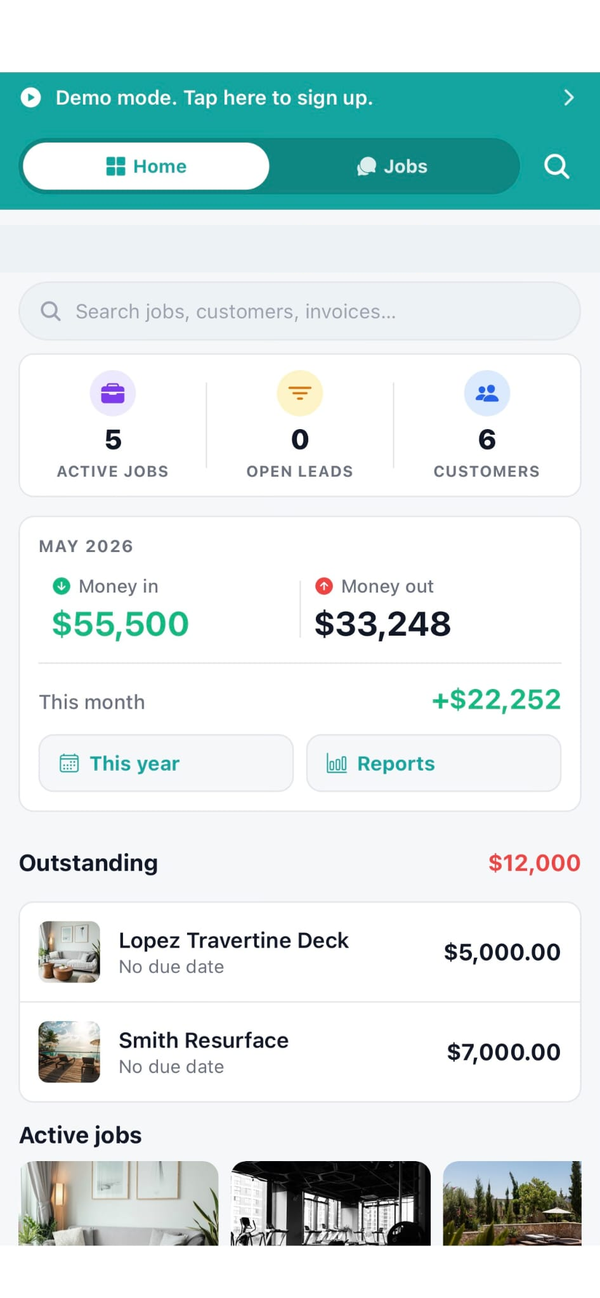
Built for install-focused HVAC contractors
HVAC software is dominated by dispatch-first tools (Housecall Pro, ServiceTitan, Service Fusion) that are built around the route-and-ticket motion: a customer calls, a CSR books them in, the dispatcher drops the ticket on a tech, the tech runs five to twelve calls in a day. That model is real and it's huge, and if it's your model you should use one of those tools. They are excellent at it.
Workhand is for the other shape of HVAC business: the contractor running install and replacement projects. Changeouts. New construction ducting. Mini-split installs. RTU installs on commercial. The job runs as a project (estimate, schedule, install over one to three days, equipment commissioning, invoice) instead of a one-hour ticket. Crew chat per job actually matters because two or three guys are working the same install together. Equipment serial numbers and warranty starts matter because the warranty conversation happens three years later. Recurring maintenance contracts run as recurring invoices, but the install side is where the real money is. Workhand is built for that contractor.
Workflows we cover
The day-to-day motions of HVAC install and replacement work, in the order they happen.
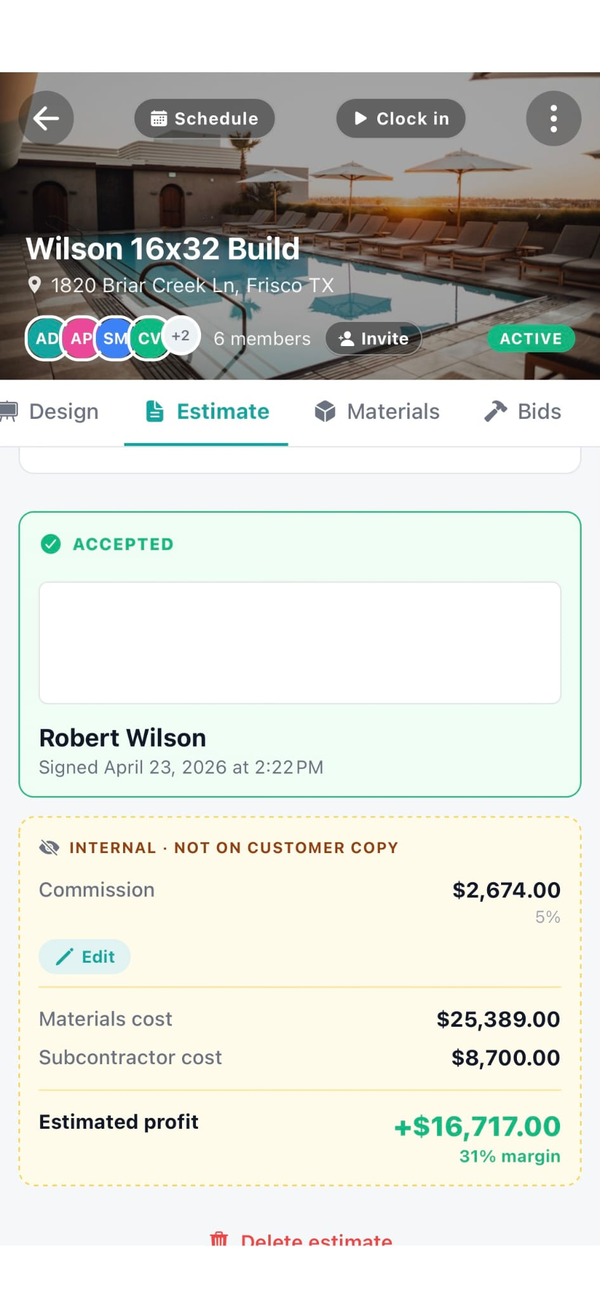
Estimate with equipment line items + e-signature
Build the estimate with equipment SKUs, BTU/tonnage, ducting, refrigerant lineset length, labor, and disposal. Send by email. Customer signs from their couch. Job created automatically.
Invoice from the truck
Mark the install complete and tap Invoice. Workhand pulls line items from the estimate plus any signed change orders, emails the customer with a Pay Online button. From install complete to invoice sent is under a minute.
Time tracking with active timer banner
Crew clocks in and out on their phone. Active timer banner stays visible on their home screen until clock-out so nobody forgets. Hours roll up against the install for cost reporting and against payroll for export.
Mileage logs with IRS-rate math
Trips between jobs log automatically. Workhand applies the current IRS mileage rate so the tax deduction is calculated for you. Bookkeeper or accountant runs the report in January and the year is done.
Equipment serial-number + warranty tracking
Per install: make, model, serial number, SKU, BTU/tonnage, refrigerant type, install date, warranty start. Pulls into invoices and the customer portal for the warranty trail. Service call three years later, the equipment record is still there.
Recurring service contracts
Set up a recurring invoice (monthly, quarterly, annual) for maintenance plans. Workhand auto-generates the invoice on the right day. Customer pays online. You still schedule the visit manually onto the calendar when it's due.
Per-job crew chat for two-and-three-man installs
Lead tech and helpers on the same thread, with the install attached. Office sees everything. Subs (electrician for the disconnect, low-voltage for thermostats) see only their scope.
Customer portal with install photos and warranty info
Send the homeowner a link. They see hero install photos, equipment serial numbers, warranty start date, and any invoices. No login, no app install. Cuts the warranty paperwork hand-off to nothing.
What Workhand has that helps HVAC contractors
- Estimate to invoice in one flow. Line items, e-signature, change orders, invoice with Pay Online button. No double-entry.
- Equipment + serial number block per install. Make, model, SKU, BTU, refrigerant, warranty start. Stored on the job for life.
- Time tracking + mileage with IRS-rate math. Crew clocks in and out, mileage logs between jobs. Tax deduction calculated automatically.
- Recurring invoices for maintenance plans. Monthly, quarterly, annual. Auto-emails on the right day.
- Customer reviews + Google funnel. Auto-email customers a review request when an install is complete. 4-and-5-star ratings nudged to Google.
- Per-job crew chat with photo attachments. Lead tech and helpers on one thread. Pinned messages, read receipts.
- Subcontractor tracking. For the low-voltage thermostat sub, the electrician for the disconnect, the duct cleaner. COI alerts before they lapse.
- QuickBooks Online sync. Customers, invoices, payments push to QBO. Bookkeeper Monday morning sees the week.
- AI Suggest line items on estimates. Type the install in plain English ("4-ton heat pump, 16 SEER, two-stage gas furnace backup, smart thermostat") and AI builds the line items from your catalog. Edit anything before sending.
- Documents in English, Spanish, or Portuguese. Send estimates and invoices in the homeowner's language — set per customer. Real difference in markets with Spanish-speaking customers.
- Customizable job tabs per job type. A new install shows Equipment, Materials, Daily Log, and Estimate. A maintenance call shows just Chat, Daily Log, and Time. Pick what the tech sees per job so the screen stays focused.
- Customer-facing job portal for big installs. Homeowner gets a single link showing job status, equipment installed, balance due. No app install, no login. Cuts the "where are you guys" calls during a multi-day install.
See the full feature list for everything else and the FAQ for specifics.
What we are not
Workhand is not a dispatch-first HVAC service tool. If your daily flow is a CSR booking tickets, a dispatcher dropping them on a drag-and-drop grid, techs running 8 to 12 calls a day with route optimization, agreement renewal automation, and a price book the techs upsell from in the customer's living room, you want Housecall Pro or ServiceTitan. They are built specifically for that motion. Service Fusion is the lower- cost alternative in the same shape.
We do not do route optimization. We do not do a real dispatch grid. We do not do agreement renewal pipelines with auto-billing tied to membership tiers, and we do not do price book management with manufacturer integration. Those are real differences. If those are mission-critical for you, stay with the dispatch-first tools.
Workhand is for the HVAC contractor running more project-based work like installs and changeouts. Some service mixed in is fine, but if pure service routing is 80% of your revenue, we're the wrong tool.
Pricing for HVAC contractors
Three plans. No per-user fees. No per-estimate fees. Most working HVAC install crews land on Pro or Team depending on crew size and whether you have an office.
Free
Pro
Team
Most working HVAC crews choose Pro or Team. Solo HVAC contractors can run on Pro for a long time. Add an office manager or you're doing commercial RTU work with longer installs, go Team for the cost reporting and QBO sync. See the FAQ for trial and refund details.
Questions HVAC contractors ask
Is Workhand a Housecall Pro replacement?
For dispatch-heavy pure-service HVAC, no. Housecall Pro and ServiceTitan are built tight around the dispatch grid, route optimization, and tech-on-tech assignment that pure service businesses run on. For HVAC contractors doing install and replacement work (changeouts, new construction ducting, mini-splits, commercial RTU installs) with some service tickets mixed in, Workhand is a better fit because the job runs as a project, not a one-hour ticket.
Can I send an invoice from the truck right after a job?
Yes. Mark the job complete in the app and tap Invoice. Workhand pulls the line items from the original estimate (with any change orders signed during the job), generates the invoice, and emails it to the customer with a Pay Online button if you have Stripe Connect enabled. From job complete to invoice sent is under a minute. See the Stripe Connect writeup for setup.
How does time tracking work for my install crews?
Each crew member clocks in and out from the job site on their phone. An active timer banner stays visible on their home screen until they clock out so nobody forgets. Hours roll up against each job for cost reporting and against the payroll period for export. Mileage between jobs logs automatically with IRS-rate math for the tax deduction.
Can I run recurring maintenance contracts?
Yes, for the recurring invoice side. Set up a recurring invoice schedule (monthly, quarterly, annual) and Workhand auto-generates the invoice and emails it on the right day. Customer pays online through Stripe Connect. We do not yet auto-schedule the visit itself onto the calendar (that's coming), so you'll still manually drop the maintenance visit on the calendar when it's due.
Can I track equipment serial numbers and SKUs?
Yes. Each install job has an equipment block where you log the make, model, serial number, SKU, BTU/tonnage, refrigerant type, install date, and warranty start. Pulls into invoices and the customer portal for the warranty trail. When a service call comes in three years later, the equipment record is still there.
More reading: Workhand vs Housecall Pro for the full side-by-side, QuickBooks alternative writeup, or the homepage for the full feature surface.